Quick Answer
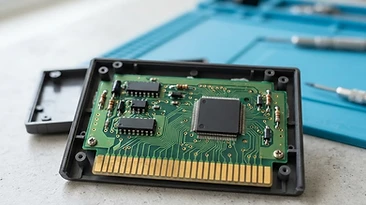
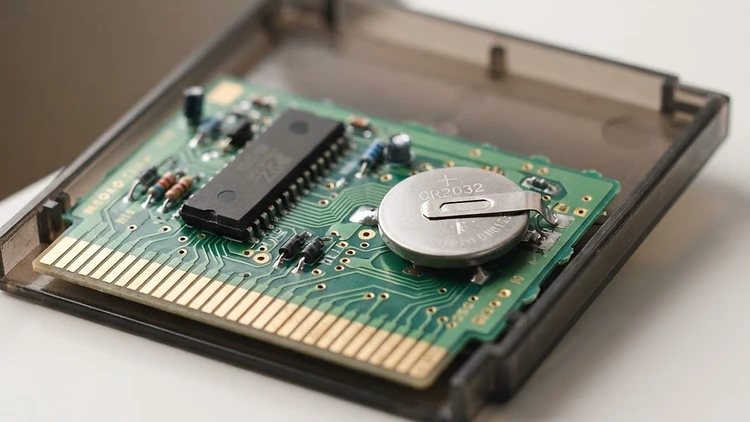
Most classic cartridges for the NES, SNES, and Game Boy/GBA era utilize a small CR2032 or CR1616 coin cell battery to power the SRAM (static RAM) that holds your save data. Over time, these batteries expire, causing game progress to be lost. To keep your collection playable, you should periodically check your saved data. If you notice saves failing, it is time to replace the battery using a soldering iron, a replacement battery with pre-attached tabs, and the correct security bits to open the cartridge shell. If you prefer to focus on the gaming itself, you can browse our Catalog to find tested titles ready for your shelf.
The Anatomy of a Retro Save File
Modern gaming relies on cloud saves and hard drive partitions, but for the classic era, the game cartridge itself had to be a self-contained unit. Nintendo engineers placed a tiny battery inside the casing to act as a permanent power source for the chip that stored your save state. When the battery voltage drops below a certain threshold, the chip can no longer hold the electrical charge necessary to keep the binary data intact, leading to the dreaded "Save Data Corrupted" or "No Save File Found" message.
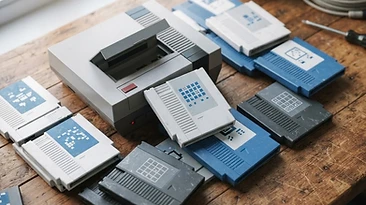
This is not a sign that your game is broken, but rather that it has reached the end of its first life cycle. For those building a serious collection of SNES or NES classics, understanding this technical reality is part of being a responsible steward of video game history.
Identifying When a Battery is Dying
Not every game uses a battery. Many simple platformers or arcade-style titles that rely on high scores or passwords do not have internal batteries at all. However, RPGs, adventure titles, and games with complex progression systems almost always do. Here are the signs that a battery is failing:
- The Disappearing Save: You play for hours, turn the console off, and return to find the "New Game" option is the only one available.
- The Glitched File: Your save file shows corrupted text or abnormal character stats.
- Inconsistent Behavior: The game saves occasionally but fails to retain data over long periods, indicating the battery is just barely holding enough voltage to maintain the chip.
Tools You Need for Maintenance
If you have a library of Game Boy or handheld titles, you should keep a small toolkit ready. To perform a battery swap safely, you will need:
- Gamebit Screwdrivers: You will need a 3.8mm bit for most cartridges.
- Replacement Batteries: Look for CR2032 or CR1616 batteries specifically sold with pre-soldered metal tabs. Never attempt to solder a wire directly to a bare coin cell, as the heat can cause the battery to vent or explode.
- Soldering Iron: A low-wattage iron with a fine tip is best to avoid damaging the delicate traces on the circuit board.
- Desoldering Pump or Wick: Essential for removing the old, hardened solder joints cleanly.
Best Practices for Long-Term Preservation
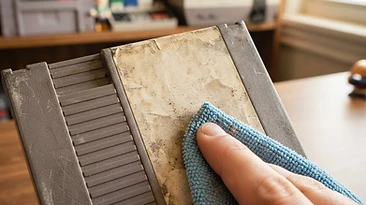
Beyond battery swaps, how you store your games matters. Exposure to extreme heat or humidity can accelerate the corrosion of the battery contacts and the motherboard. We recommend keeping your Consoles and cartridges in a climate-controlled environment, away from direct sunlight. Dust is another enemy; ensure your pins are kept clean using isopropyl alcohol to prevent read errors that might be mistaken for hardware failure.
If you are worried about the health of your collection, remember that at OldStyleGamings, we stand by our process. You can learn more about our commitment to excellence on our Trust page. We believe that retro gaming should be about the joy of play, not the stress of maintenance.
Frequently Asked Questions
Can I use a save file if the battery is dead?
No, the save file relies on the constant, low-voltage power provided by the battery. Once the battery is removed or dead, the memory is wiped clean.
Do all Nintendo cartridges have batteries?
No. Batteries were only used for games that required persistent memory. Games that use passwords or have no save feature do not contain batteries.
Is it hard to replace a battery yourself?
If you have basic experience with electronics repair, it is a straightforward process. However, if you are uncomfortable with a soldering iron, it is better to seek professional repair to avoid damaging the circuit board.
Where can I find reliable, tested cartridges?
If you want to avoid the hassle of DIY repairs, browse our curated Catalog at OldStyleGamings. Every item is verified to ensure it is ready to play the moment it arrives at your door.
Shop with Confidence
At OldStyleGamings, we are gamers just like you. We understand that your collection represents a lifetime of memories. Whether you are hunting for Game Boy Color classics or looking for the latest Bundles to complete your setup, we are here to help. Shop our collection today and take advantage of our 30-day play-ready promise and free US returns.